Thinking in Sites
AI-native site work starts before anyone asks Codex to write code. The first job is to describe the human workflow clearly enough that an AI assistant can help shape the page, the content, and the interaction without guessing.
Think of a site as a guided path:
- Who is arriving?
- What are they trying to understand or do?
- What does the page need them to notice first?
- What action should be easy?
- What information should be available without slowing them down?
- What should never be shown publicly?
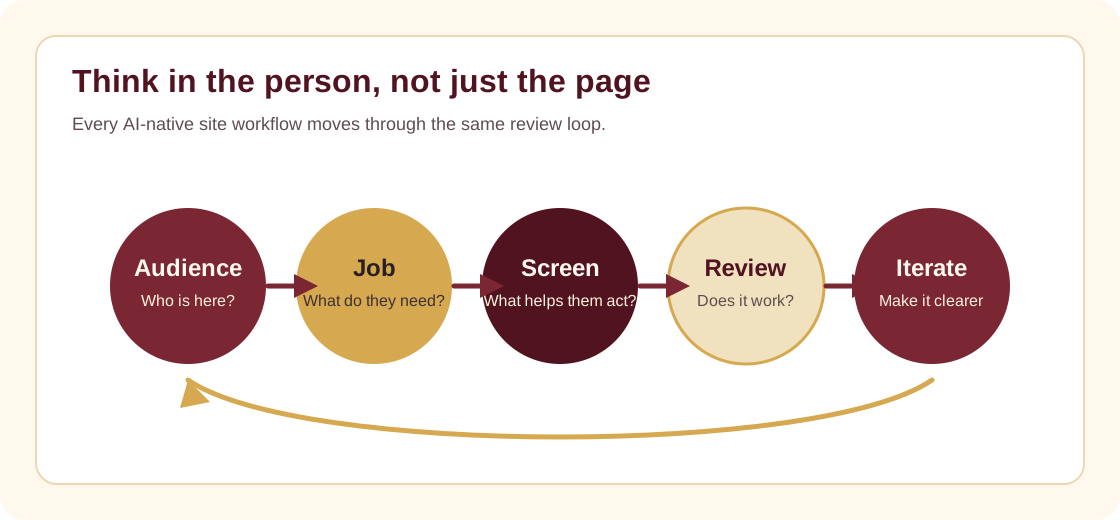
The staff mental model
Do not begin with "make a page." Begin with the person and the decision.
For a visitor-facing page, the question might be:
A first-time visitor lands on the site from Facebook. What do they need to know in the first 10 seconds before deciding whether to visit, watch, give, or contact the church?
For an internal tool, the question might be:
A staff member has five minutes between tasks. What screen helps them complete the job correctly without needing technical help?
What AI is good at
AI helps with:
- turning rough ideas into page structure
- comparing layout options
- drafting labels and helper text
- making repeated UI patterns consistent
- finding missing states
- producing diagrams, checklists, and first-pass docs
- implementing the interface once the workflow is clear
AI is weaker when the goal is vague, the audience is unknown, or the request hides important constraints.
The UI/UX loop
Use this loop for any site or internal tool:
- Define the audience.
- Define the job they need done.
- Sketch the screen in words.
- Ask Codex to inspect the existing repo and propose the smallest useful change.
- Build the first version.
- Review the real screen, not just the idea.
- Iterate from what is confusing, slow, or missing.
Good first prompts
Use prompts like this:
We need a staff-facing screen for [workflow]. The user is [role]. They need to [task] without seeing private technical details. Inspect the repo, identify the existing UI patterns, then implement a first version that is simple to use on mobile and desktop.
We need to improve the public landing page for [audience]. The page should help them understand [message] and take [action]. Keep the current visual style, avoid generic filler, and run the build after editing.
What to review
Review these before approving a UI change:
- Does the first screen make the purpose obvious?
- Is the next action visible without hunting?
- Does the page work on mobile?
- Are labels written for staff and visitors, not developers?
- Are empty, loading, success, and error states handled?
- Did the change expose private network, member, donor, or staff information?