Codex Workflows
Codex is used to help New Deliverance build and maintain internal tools quickly. Treat it like a technical teammate: give it context, review its work, test the result, and keep sensitive details out of prompts and public docs.
Good requests
Strong Codex requests include:
- the goal
- the repo or folder
- the user workflow being improved
- the expected behavior
- known constraints
- how to verify the work
Example:
In ~/code/new-deliverance, update the Watch page so staff can add a YouTube livestream URL from site.ts. Keep the design consistent, run the build, and tell me exactly what changed.
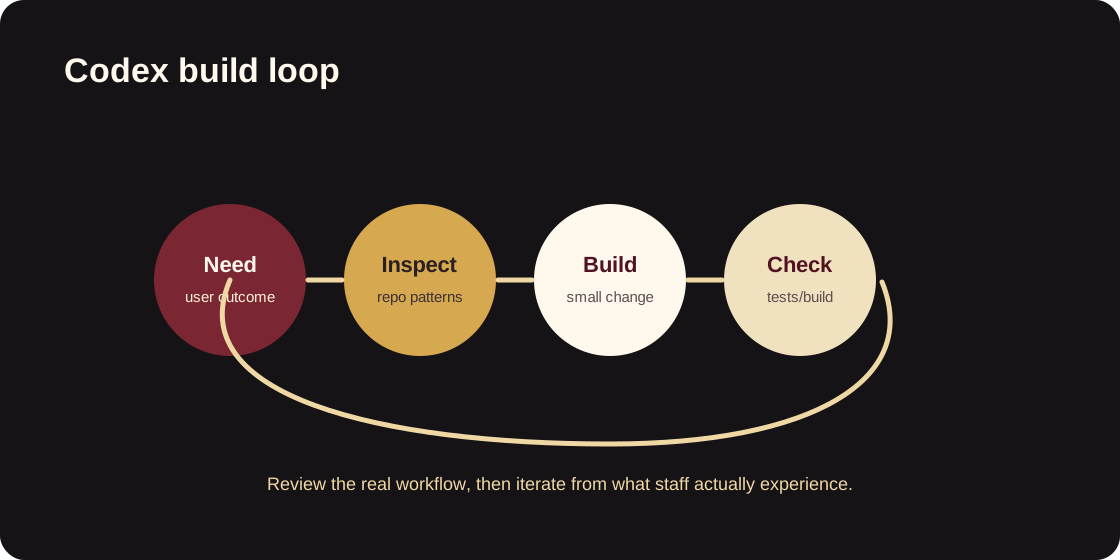
Standard build loop
- Explain the user need and the repo involved.
- Let Codex inspect the existing code before deciding how to change it.
- Ask for a working implementation, not just a plan, when the request is clear.
- Run the relevant local checks.
- Review the diff before pushing.
- Keep changes small enough to understand.
What not to paste
Do not paste:
- Tailscale auth keys
- API keys
- tokens
- production secrets
- private IP maps
- donor information
- member information
- staff personal data
- passwords or recovery codes
Use placeholders such as <TAILSCALE_HOST>, <INTERNAL_TOOL_URL>, or <API_TOKEN_NAME> when the exact value is not needed.
Working with the compute environment
The compute environment is for building and running heavier internal tools. Document the workflow at the level staff need:
- how to request access
- where to find the tool
- what the tool does
- how to report an issue
- who owns the tool
Keep infrastructure details out of public-facing docs unless they are already approved for publication.