Context Engineering
Context engineering is the discipline of giving AI the right information at the right time. It is often more important than the exact wording of the prompt.
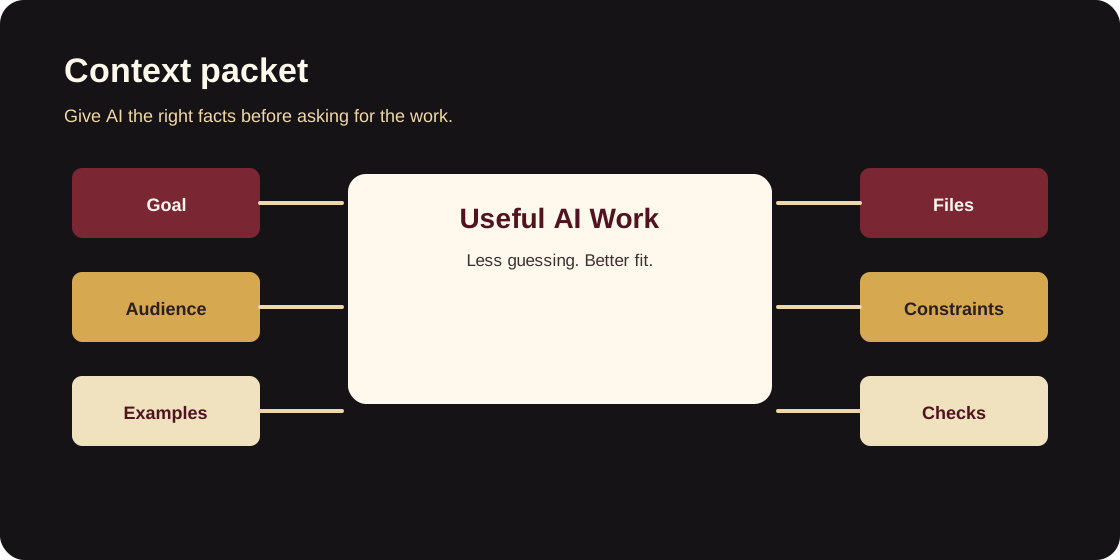
What context does
Context helps AI understand:
- what problem matters
- who the work serves
- where the truth lives
- what patterns already exist
- what should not change
- how success will be judged
Without context, AI fills gaps with guesses. With context, AI can work inside the real system.
The context packet
For New Deliverance work, a good context packet includes:
- Goal: the user or ministry outcome
- Audience: visitor, staff role, volunteer, leader, or admin
- Source of truth: repo, file, doc, spreadsheet, or current page
- Examples: existing page, component, workflow, or tone to match
- Constraints: privacy, network, brand, mobile, approval, deadline
- Checks: build, typecheck, test, visual review, or staff walkthrough
Context levels
Use the smallest useful level:
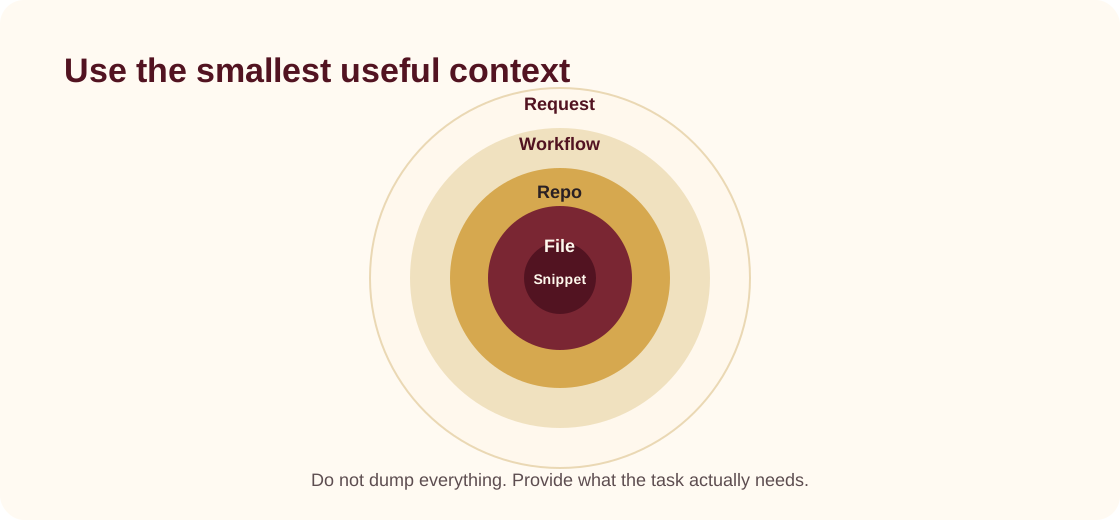
- Request level: the immediate task
- Workflow level: how staff or visitors use the result
- Repo level: where the code or docs live
- File level: the specific files likely involved
- Snippet level: exact copy, error message, or component detail
What not to include
Do not include:
- raw secrets
- Tailscale auth keys
- private IP maps
- donor records
- member records
- passwords
- staff personal data
Use placeholders when exact values are unnecessary:
The tool is available at <INTERNAL_TOOL_URL> for approved staff on the private network.
Good context prompt
We are documenting an internal staff tool for volunteer follow-up. The audience is ministry coordinators who are not developers. The docs should explain what the tool does, common tasks, access expectations, and support flow. Do not include private URLs or credentials. Match the module style already used in docs/internal-tools.